
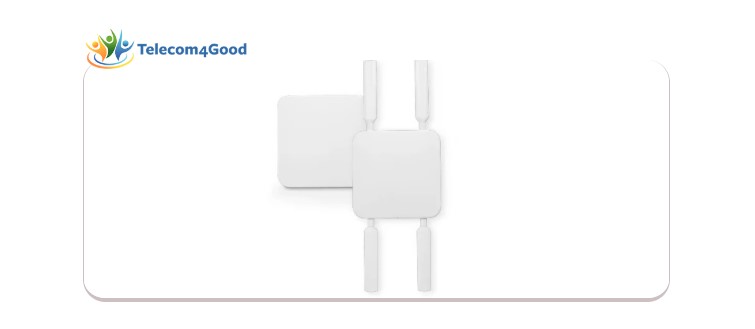
Cisco Meraki MG52 and MG52E give nonprofits a practical way to use 5G and LTE for primary WAN, remote deployments, and more resilient network connectivity. This guide explains where they fit, how the MG52E patch antenna helps, and how Telecom4Good supports nonprofits with 50% or more off Cisco Meraki equipment, licenses, license renewals, and accessories.
Published on Wednesday, March 19, 2025
Updated on Tuesday, April 21, 2026
Reliable internet should not be the reason a nonprofit slows down a program, delays communication, or loses access to cloud-based tools. For nonprofits working in remote areas, temporary sites, mobile environments, or locations where wired service is slow to install or too expensive, Cisco Meraki’s MG52 and MG52E create a practical path to high-speed cellular WAN connectivity.
At Telecom4Good, we are a nonprofit exclusively supporting nonprofits and NGOs. We help organizations compare Cisco Meraki solutions, plan deployments more strategically, and access discounts of 50% or more on Cisco Meraki equipment, licenses, license renewals, and accessories.
What the Cisco Meraki MG52 and MG52E Actually Do
The MG52 and MG52E are cellular gateways designed to convert 5G and LTE signals from a carrier into an Ethernet handoff for use as an internet uplink. In simple terms, they give nonprofits another way to bring reliable connectivity into a network when traditional broadband is unavailable, delayed, or better used as a secondary path.
Cisco Meraki positions the MG52 as a 5G Standalone and Non-Standalone device with Sub-6 support, low latency, and increased capacity, and notes that the platform is compatible with both Meraki and non-Meraki security appliances, routing, or switching devices through Ethernet and IP-based protocols.
That matters for nonprofits because it gives teams flexibility. You do not need to redesign everything around a single device family to use the MG52 or MG52E as part of a broader connectivity strategy.
Why This Matters for Nonprofits
The MG52 and MG52E are especially compelling for nonprofits that need to stay connected in one of these situations:

1. Primary WAN where wired internet is not practical
Cisco Meraki explicitly calls out the primary WAN as a use case when wired services are unavailable, take too long, or are too expensive. For nonprofits opening a new office, supporting a field team, or standing up a temporary location, that can be a major advantage.
2. Better antenna placement for stronger cellular performance
Signal strength plays a major role in cellular performance. Cisco Meraki notes that the MG52 and MG52E can be positioned to optimize signal quality, and the use-case guidance specifically highlights antenna placement to maximize cellular coverage.
3. Fast deployment at remote sites
The MG series is cloud-managed through the Meraki dashboard, self-configuring, and designed for rapid deployment at remote locations without end-user assistance. That is valuable for nonprofits with lean internal IT resources or multiple distributed locations.
4. Flexibility inside mixed environments
Because the MG52 and MG52E can work with Meraki and non-Meraki security, routing, and switching equipment, nonprofits can use them in broader environments rather than limiting them to one narrow architecture.
Key Features That Stand Out
Cisco Meraki highlights several capabilities that make the MG52 and MG52E especially relevant for nonprofit environments:
5G SA and NSA support with Sub-6 and LTE Cat 20 support
Cloud-managed eSIM and dual-SIM
Two downstream Ethernet connections
PoE+ or DC power options
IP67 rating for
Optional patch antenna support on the
Remote diagnostics, including alerts, packet capture, local status page logging, and cable-testing/link-failure tools
For nonprofits, those features translate into something more important than specs alone: flexibility, resilience, and faster troubleshooting when every hour of downtime matters.
For nonprofits, those features translate into something more important than specs alone: flexibility, resilience, and faster troubleshooting when every hour of downtime matters.
When the MG52E Patch Antenna Makes Sense
The MA-ANT-DUAL-C3 patch antenna is described as a Sub-6 4x4 full-band directional antenna with RP-SMA 4x4 connectors and 36-inch cables. Cisco Meraki lists the dimensions as 350 mm x 350 mm x 77.6 mm and includes both wall-mount and pole-mount installation guidance in the patch antenna datasheet.
A nonprofit should look harder at the MG52E plus patch antenna combination when:
The gateway needs a clearer line of sight to a cellular tower
The default antennas do not provide the signal quality
The device can be mounted in a higher or more directional position
The deployment demands a stronger signal quality in a more challenging environment.
Installation Details Nonprofits Should Know
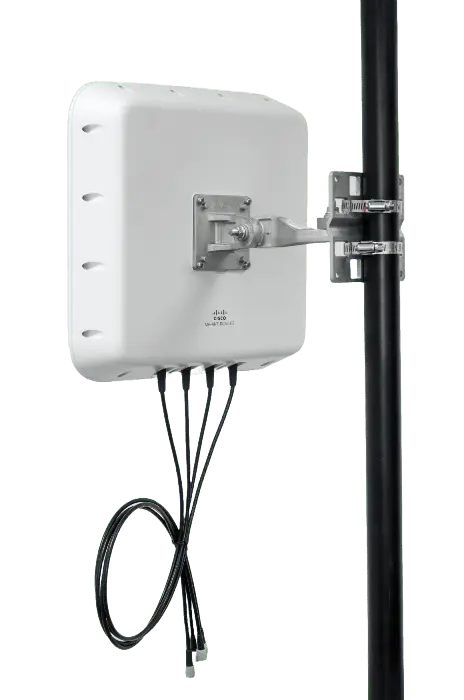
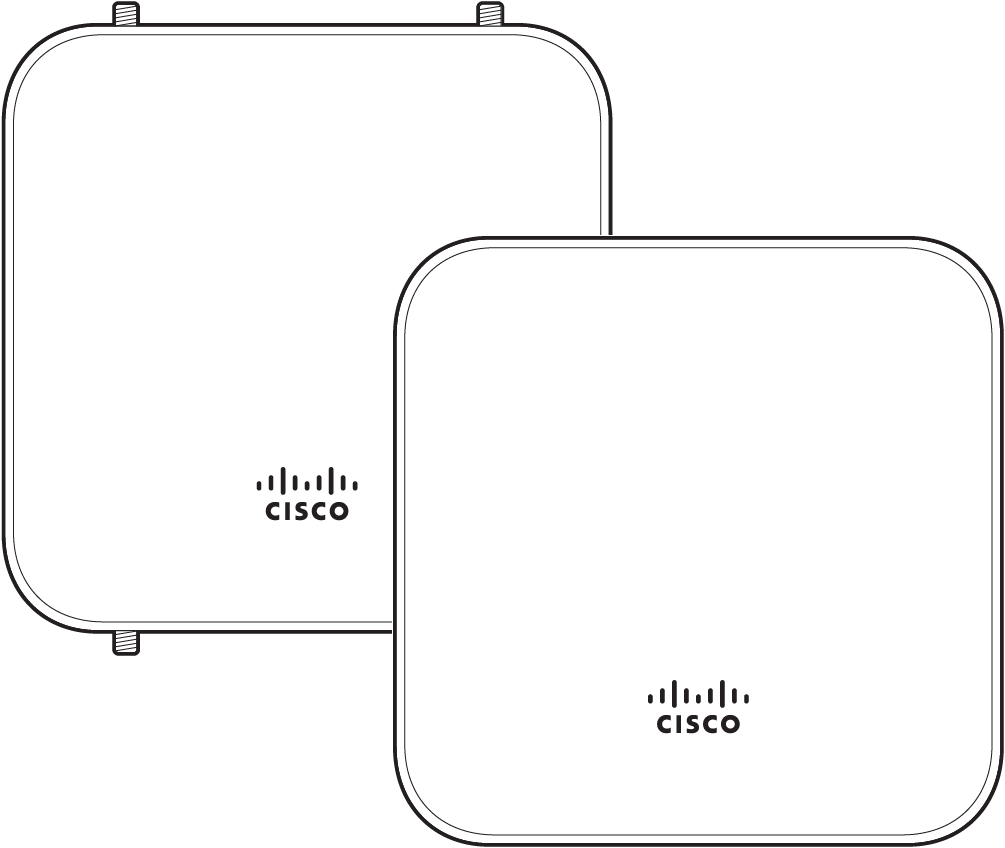
Cisco Meraki’s installation guide frames the MG52 and MG52E as gigabit-capable cellular gateways that make wireless WAN a viable uplink for many networks. The guide also confirms that the devices use an LED status indicator with specific meanings: solid orange indicates power is applied but the appliance is not connected to the Meraki dashboard, rainbow colors indicate it is attempting to connect, flashing white indicates a firmware upgrade, solid white indicates fully operational and connected to LAN, and solid purple indicates fully operational and connected to the cellular network.
The guide also notes:
- The MG52 and MG52E have two Ethernet ports
- Port 1 can be reconfigured to Wired WAN Mode for troubleshooting and diagnostics
- New units ship with both ports configured as LAN by default
- The PoE-labeled ports accept 802.3at power
- If PoE is not available, the unit can use a 30W 12V 2.5A AC adapter sold separately.
Those details are useful because they affect not just installation, but also how a nonprofit plans physical placement, power, and troubleshooting workflow.
Troubleshooting Guidance That Can Save Time
The troubleshooting document you shared is for the MG41 and MG51 family, not the MG52 specifically, so I would not present it as MG52-only documentation. But it still gives useful Cisco Meraki guidance on how the MG platform is generally approached during troubleshooting, especially around the local status page and connection state checks. (Cisco Meraki Documentation)
Cisco Meraki describes two common connection states on the local status page:
Connected
Meaning APN configurations have been set and the cellular gateway should be in working order
Not Connected
Meaning new overrides may temporarily disconnect the modem before it resumes initialization with the updated configuration.
The documentation also notes that lower signal conditions can prevent an MG51/E from connecting to the internet even after multiple reboots or with a provisioned SIM card, and that the local status page provides more accurate information in those cases. That is a useful operational reminder for nonprofits evaluating cellular placements and antenna options.
A Better Way to Think About the MG52 and MG52E
The MG52 and MG52E are not just “backup internet devices.” They are connectivity tools that can help nonprofits expand their operations, reduce dependence on costly wired deployments, and create more resilient network options for mission-critical work. The strongest takeaway from the source material is flexibility:
- Flexibility in placement through PoE and Ethernet-based deployment
- Flexibility in management through the Meraki dashboard and remote diagnostics
- Flexibility in signal strategy through the MG52E patch antenna option when directional gain is needed
- Flexibility in use cases, including primary WAN in locations where wired options are limited or impractical
For nonprofits, that flexibility can mean faster program deployment, better continuity, and fewer connectivity compromises.
How Telecom4Good Helps
Telecom4Good is a nonprofit that supports other nonprofits and NGOs. If your organization is deciding whether the MG52 or MG52E makes sense for a new site, a remote deployment, a mobile use case, or a more resilient WAN design, we can help you compare the options and understand how these devices fit into your broader Cisco Meraki environment.
We also help approved nonprofits and NGOs access 50% or more off Cisco Meraki equipment, licenses, license renewals, and accessories.